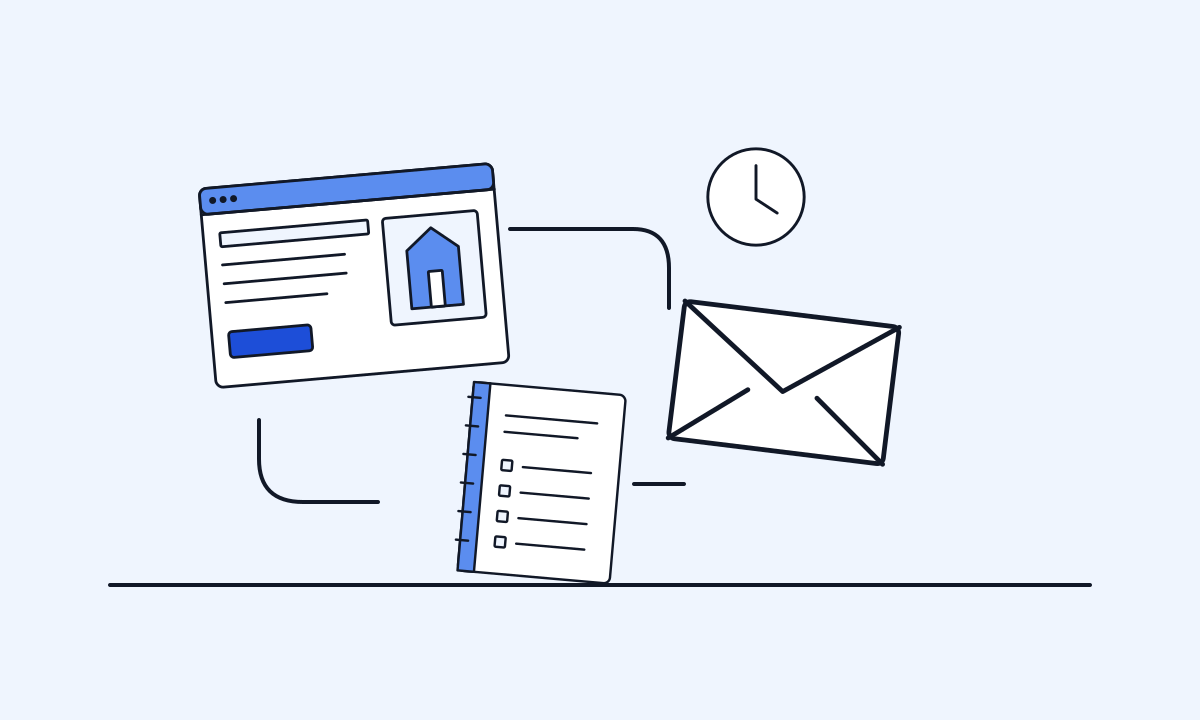
Marketing automation tools do repeatable follow-up for you, such as confirming an enquiry, sending a reminder or running a short email sequence. For a small business, the best approach is to pick one workflow, choose the simplest type of tool that runs it, and build in consent, unsubscribe and a human check. Add AI drafts and agents only where mistakes are cheap to fix.
What does marketing automation mean for a small business in 2026?
Marketing automation is software that does a repeatable marketing or follow-up task when something happens. Someone fills in your enquiry form, so they get a confirmation and you get a task. Someone books, so they get a reminder the day before. Someone joins your email list, so they get a few helpful emails over two weeks.
For a small business in 2026 it usually covers six jobs:
- Email sequences, such as a welcome series.
- Enquiry follow-up, so no lead waits days for an answer.
- A CRM, which is a shared record of customers and conversations.
- Booking confirmations and reminders.
- AI-drafted replies that a person approves.
- AI agents that answer routine questions or take simple actions.
The aim is not to remove people. It is to make sure the dull, important steps happen every time, so your time goes to the conversations that need you. If a task comes up only a few times a month, a checklist is usually enough.
Which workflow should you automate first?
Start with one workflow, not a platform. Pick the place where money or goodwill leaks most often. For many small businesses that is slow enquiry follow-up.
Write the workflow on one page before you look at software:
- Trigger: what starts it, such as a form being submitted.
- Information: what you need, such as name, service and suburb.
- Action: what should happen, and how soon.
- Owner: who is responsible when it runs and when it fails.
- Exit: when it should stop, such as when the person replies or books.
Good first candidates are an enquiry acknowledgement with a task for the owner, a quote follow-up after a set number of days, appointment reminders, and a review request after a finished job.
If you cannot describe the steps clearly, the process is not ready to automate. Fix it by hand first. Our guide to your first AI automation walks through this in more detail.
What types of tools are there?
Most tools fall into five categories. The names below are examples of a type, not rankings, and we have not tested every product.
- Email and SMS marketing platforms. They store your list, record consent, send campaigns and run sequences.
- CRMs. They keep contacts, deals and tasks in one place. HubSpot, for example, describes a free CRM tier covering contacts, deals and tasks (HubSpot, checked November 2026).
- Booking systems. They take appointments and send confirmations and reminders.
- App connectors. They move information between tools that do not talk to each other. Zapier charges by tasks and Make by credits, and both list a free plan with limits (official pricing pages, checked November 2026).
- AI assistants and agents. They draft, classify or answer, inside or alongside the tools above.
You may already own some of this. Your website platform, booking system or accounting software may include basic automation. Check that before buying anything new. Our tools directory lists options by category.
How do you choose a tool?
Take your one-page workflow and test each option against it.
Questions worth asking:
- Does it connect to what you already use, such as your website forms, calendar and accounting software?
- Does it record consent and handle unsubscribes automatically?
- What are the limits on contacts, sends, tasks or users, and what happens when you pass them?
- Where is customer data stored, and can you export it if you leave?
- What happens when a step fails? Do you get an alert?
- Can a non-technical person on your team change a message?
Free plans are useful for testing. Read the limits on the official pricing page before you rely on one for a live process, because prices and inclusions change often.
Then run a trial with sample data. Test one normal case and one broken case, such as a missing phone number. If the broken case fails silently, keep looking. Choose the simplest tool that runs your workflow. You can add more later.
Where do AI-drafted replies and AI agents fit?
AI now sits inside most automation tools. It is useful in two ways.
AI-drafted replies. The AI reads an enquiry and writes a suggested answer from your approved information. A person checks it and sends it. This saves time and keeps judgement with you. It suits quotes, detailed questions and anything sensitive.
AI agents. An agent can act without waiting for approval, within limits you set. It might answer opening-hours questions, collect job details or offer booking times. It suits routine, low-risk questions with a clear right answer.
The safe pattern is to start with drafts, note what the AI gets wrong, and only then let an agent handle the narrow set of questions it answers reliably. Give it a clear way to hand over to a person. Government guidance is to tell customers when they are dealing with AI, and to have a way to stop a tool if something goes wrong (business.gov.au, checked November 2026).
See our AI automation and AI agents services for how this is set up.
What do the Spam Act rules require?
If you send marketing by email, SMS or instant message, the Spam Act applies, whatever your size. The ACMA sets out three requirements (ACMA, checked November 2026):
- Consent. Express consent is best: a form, a ticked box or a recorded yes. Keep a record of who, when and how. It is up to you to prove it.
- Identify yourself. Use your business name and correct contact details.
- Unsubscribe. Every commercial message needs a clear, free unsubscribe that is honoured within 5 working days and works for at least 30 days after sending.
Two points catch small businesses out. The ACMA says inferred consent does not cover marketing sent just because someone has bought from you. And you cannot send a message asking for consent, because that is itself marketing.
In practice, add an opt-in to your forms, let your platform manage unsubscribes, and make sure every step in a sequence stops when someone opts out. There is a plain government guide to email and text marketing.
What about privacy and customer data?
Automation moves personal information between systems, so decide what goes where.
Most small businesses with annual turnover of $3 million or less are not covered by the Privacy Act. Some are covered at any size, including health service providers and businesses that trade in personal information (OAIC, checked November 2026). Even if you are exempt, customers expect care, and the Australian Privacy Principles are a useful good-practice standard (business.gov.au).
Sensible habits:
- Collect only what the workflow needs.
- Limit who can log in, and turn on multi-factor authentication.
- Say in your privacy policy which tools you use and why.
- Delete or de-identify records you no longer need.
On AI, the OAIC recommends, as best practice, not entering personal information into publicly available generative AI tools (OAIC guidance, updated January 2025). Use business versions with clear data terms. This is general information, not legal advice.
What should you not automate?
Some things should stay with a person.
- Complaints and upset customers. An instant, generic reply usually makes it worse.
- Anything with legal, health, financial or safety consequences.
- Prices, discounts and promises that depend on the job.
- Decisions about people, such as refusing service.
- Replies to reviews, unless a person reads them first. See responding to Google reviews with AI.
- Messages that are meant to feel personal. A fake personal note is worse than none.
Also avoid automating a broken process. If your quotes are slow because pricing is unclear, software will only send unclear quotes faster.
A useful test: if this message went to the wrong person, or said the wrong thing, how bad would it be? If the answer is embarrassing but fixable, automate it with a check. If the answer is serious, keep a person in the loop every time.
A worked example: quote follow-up for a landscaper
This is an illustrative example, not a client result.
A landscaping business gets enquiries through its website form. The owner is on site all day, and replies often wait until night. Some quotes are never followed up.
The one-page workflow:
- Trigger: the form is submitted, with an optional tick box to receive tips and offers.
- Straight away: the customer gets a confirmation saying when to expect a call. The owner gets a text with the details, and a contact is created in the CRM.
- Same day: AI drafts a reply with questions about the site. The owner edits and sends it from his phone.
- Five days after a quote: a short follow-up is drafted for his approval.
- Stop: the sequence ends as soon as the customer replies, books or says no.
Only people who ticked the box join the newsletter. The owner checks a weekly list of failed steps. Success is measured simply: reply time, and how many quotes get a follow-up.
A short checklist, and the honest limits
Before you switch anything on:
- One workflow written on one page, with an owner.
- Consent recorded, sender identified, unsubscribe working.
- Every message read aloud by a person.
- A test with a normal case and a broken case.
- An alert when a step fails.
- A stop rule, so people who reply or opt out leave the sequence.
- A date in the calendar to review it in a month.
Now the limits. Automation does not create demand. It only makes better use of the enquiries and customers you already have. It needs maintenance, because forms change, tools update and messages go stale. AI drafts can be confidently wrong. A free plan today may not be free next year.
Start small, measure one thing, and expand only when the first workflow runs reliably. If you want help choosing or setting up that first workflow, contact us or read AI for small business marketing.
Common questions
What is the best marketing automation tool for a small business?
There is no single best tool. The right one is the simplest tool that runs your first workflow, connects to what you already use and handles consent and unsubscribes. Write the workflow down first, then compare options against it.
Do I need a CRM before I automate anything?
Not always. A CRM helps once several people handle enquiries or you lose track of follow-ups. A sole trader can often start with a form, an email platform and a booking tool, then add a CRM when the gaps show.
Can I email past customers about new offers?
Only with consent. The ACMA says inferred consent does not cover marketing sent just because someone has bought from you. Express consent, such as an opt-in box, is the safer basis, and every message needs a working unsubscribe.
How much do marketing automation tools cost?
It varies widely. Most charge by contacts, messages, tasks or users, and many offer a limited free plan. Check the official pricing page for current limits, and count your own set-up and maintenance time as part of the cost.
Can AI reply to customers on its own?
It can for narrow, routine questions with a clear answer, such as opening hours. For quotes, complaints and anything sensitive, have AI draft and a person approve. Tell customers when a reply is automated.
Sources
General information for Australian small businesses. Check the original source before relying on a price, product feature or rule.
- acma.gov.au: avoid sending spam
- business.gov.au: promoting your business by email or text messages
- oaic.gov.au: small business
- oaic.gov.au: guidance on privacy and the use of commercially available ai products
- business.gov.au: protect your customers information
- business.gov.au: artificial intelligence
- hubspot.com: crm
- zapier.com: pricing
- make.com: pricing