Your website is often the first and sometimes only place people meet your business. In just a few seconds, they’ll decide whether to stay, click, or move on to a competitor. That’s why design isn’t just about looks, it’s about creating trust, clarity, and action.
This checklist walks you through the five key phases of building a small business website that actually works. Follow it, and you’ll avoid costly mistakes while setting your business up for long-term growth.
Phase 1: Planning & Strategy (Before You Start Designing)
Building a website without a plan is like building a house without a blueprint. It might look okay from the outside, but it won’t be sturdy or functional. This phase is all about creating a clear strategy before you write a single line of code. Taking the time for this groundwork ensures every decision you make is a smart one, leading to a website that actually helps your business grow.
1. Define Your Goals
Every website needs a clear purpose. Without a goal, you’re just building an online brochure that won’t attract customers or grow your business. Be crystal clear on what success looks like so you can build with a purpose.
- Pick one primary goal: Is it more enquiries, online bookings, or sales?
- Set specific targets: Aim for something you can measure, like “5 new enquiries per week” or “a 3% form conversion rate.”
- Choose key metrics to watch: Decide which numbers matter most, like form submissions, call clicks, or time on key pages.
2. Know Your Audience
Your website is for your customers, not you. Your design, messaging, and features should all be based on their needs, not your hunches. This simple step keeps your entire project focused on what really matters to them.
- Write down who they are: List your main customer types and their pain points.
- List their top questions: What do they need to know before they feel ready to contact you?
- Note their objections: What might stop them from choosing you (e.g., price, lack of trust)? Answer these on your site.
- Decide your tone: Will your site be friendly and casual, or formal and professional?
3. Research Competitors
Don’t guess what a successful website looks like. Learn from what your competitors are already doing well and spot the gaps where they fall short. Use this insight to make your site stand out.
- Find your top rivals: Search for your core services in your city to see who ranks at the top.
- Analyse their sites: Note their menu, layout, messaging, calls-to-action, and how they use trust signals like reviews.
- Spot their weaknesses: Do they have a slow site? Are their prices unclear? Do they lack testimonials?
- Define your edge: Decide how your website will be better. Will your messaging be clearer? Is your design faster? Is your proof stronger?
4. Plan Your Content
Content is the fuel that makes your website run. While design makes a great first impression, content is what drives action. Planning it out now makes the design and build process a million times easier.
- Finalise Your Pages: Decide on the core pages you need, like a Home page, separate pages for each service, an About page, and a Contact page.
- Map Headlines & CTAs: On a simple outline, decide on the main headlines and calls-to-action for each section of every page.
- Collect Your Proof: Gather all your testimonials, case studies, awards, and reviews. These build instant trust with your audience.
- Create a Content Plan: Outline topics for your blog or news section that will attract new visitors from Google.
Phase 2: User Experience (UX) & Design (The First Impression)
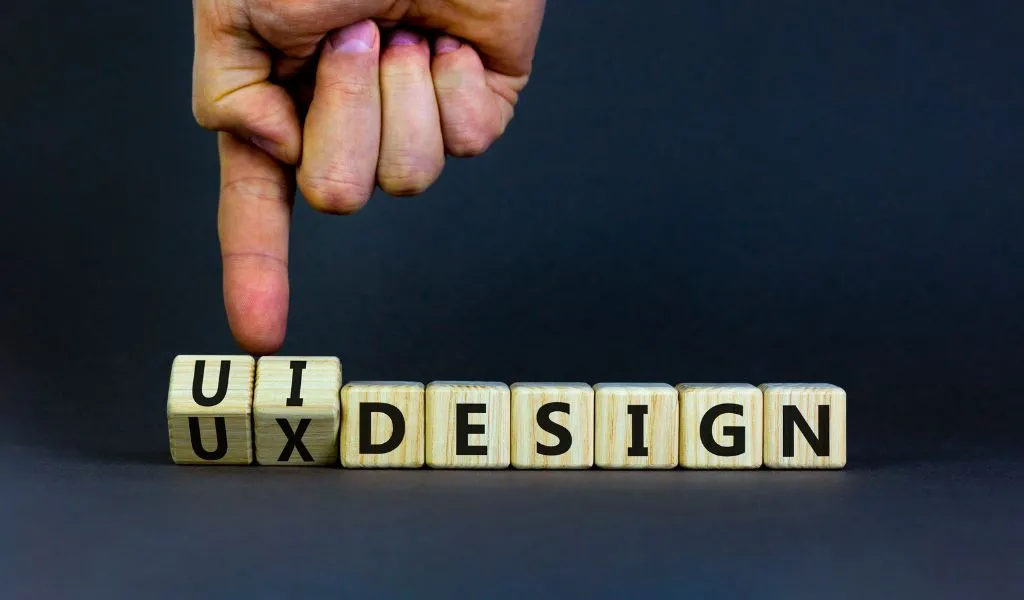
Your website is often the first thing people see about your business. A clear, well-structured design helps them feel confident, find what they need, and take action without frustration. Good UX turns clicks into enquiries.
5. Layout, Navigation & Usability:
A confusing site will lose visitors fast. The layout should be simple and easy to follow, helping people get to the right place quickly. A clear structure ensures visitors find what they need without frustration.
- Main menu should have 5–7 items only
- The logo always links back to your homepage
- Pages follow a logical order (Home, About, Services, Contact)
- Add a search bar if you have lots of content
- Layout should be mobile-first and easy to use on any screen.
A clear structure helps visitors find what they need quickly, without frustration.
6. Branding & Visual Identity
Your website should reflect your brand personality. Strong branding makes you memorable and gives visitors confidence that they are dealing with a professional business.
- Use consistent colours, fonts, and imagery across every page
- Make sure your logo is clear and visible, especially on mobile
- Choose photos that feel real and reflect your business personality
- Keep the tone of voice the same on all pages (friendly, professional, or expert depending on your brand)
When your site looks and feels consistent, people instantly know they’re in the right place.
7. Build Trust & Credibility:
Visitors won’t take the next step unless they trust you. The more proof and reassurance you provide, the easier it is for them to feel confident about getting in touch.
- Display your phone number, email, and location clearly
- Feature positive reviews and quotes from past customers.
- Use a portfolio or case studies to demonstrate your expertise and successful outcomes.
- Include a privacy policy and terms page for professionalism
- Mention any awards, certifications, or professional associations you are a part of.
The more trust signals you give, the more confident people will feel reaching out.
8. Conversion Design
A good-looking site means nothing if it doesn’t get results. Every page should guide visitors toward action, whether that’s calling, booking, or filling in a form..
- Place strong CTAs like “Get a Quote” or “Book a Call” in visible spots
- Use forms that are short and easy to fill in
- Add click-to-call buttons on mobile for quick contact
- Repeat CTAs in key places (top, middle, and bottom of a page)
- Highlight trust signals near CTAs like testimonials, guarantees, or reviews
- Use colors and bold fonts to draw the visitor’s eye to the most important elements, like your CTA buttons.
Phase 3: Technical & SEO Foundation (The Engine of Your Site)
A website is more than just design. Behind the scenes, the technical setup decides how fast it loads, how easily people find it on Google, and how safe it is to use. Think of this as the foundation that keeps your site working for the long term.
9. Performance & Speed (Core Web Vitals):
If your site is slow, people will leave before they even see your offer. Google also lowers your rankings when pages load too slowly.
- Compress images into WebP or other lightweight formats
- Remove unnecessary plugins and heavy scripts
- Use fast, reliable hosting based in Australia
- Aim for Core Web Vitals standards: LCP under 2.5 seconds and CLS under 0.1
A fast site keeps visitors engaged and helps you rank higher.
10. Mobile-First & Responsive Design:
Most customers will check your business on their phone first. If the site feels awkward on mobile, they will move on. Mobile-first design ensures a smooth experience for everyone.
- Start designs for mobile, then adapt them for larger screens
- Test layouts on different devices to make sure everything fits
- Keep navigation simple and buttons easy to tap
- Shorten forms so they are quick to complete on a phone
When your site works smoothly on mobile, it creates a better experience for every visitor.
11. SEO Setup

A beautiful site is useless if no one finds it. SEO basics give your site the visibility it needs on Google so the right customers can find you. At minimum, your designer should include:
- Clean and descriptive URLs such as yourdomain.com/service-name
- Unique title tags and meta descriptions for each page
- Proper heading structure with H1 for main titles and H2 or H3 for subheadings
- Image optimisation with clear file names and alt text
- Schema markup for local business details
- An XML sitemap submitted to Google
These steps make it easier for Google to understand your site and show it to the right audience.
12. Security & Ownership
Your website is an asset, just like your office or tools. If it is not secure, you risk losing data, customers, and trust. Strong security also means you stay in control of your digital property.
- Always use SSL (HTTPS) for secure browsing
- Host with a provider that offers daily backups and strong security
- Pick a CMS that is simple to update, such as WordPress
- Confirm you own your domain, hosting, licences, and source code
- Limit admin access to trusted people only
- Plan for regular updates and security monitoring
A secure site protects your business and builds customer trust.
Phase 4: Pre-Launch Testing
Before you hit the “Launch” button, you need to put your site through a rigorous testing phase. This phase is about finding issues before your customers do, so the site works, measures results, and meets basic legal standards on day one.
13. Functionality Testing
Go through your website like a first-time visitor. Click everything and try to break it.
- Test all forms: required fields, error messages, success messages, and thank-you pages
- Check CTAs, buttons, menus, filters, tabs, and search
- Click every link: internal, external, phone, and email
- Verify the 404 page works and that old URLs redirect properly
- For eCommerce: test add-to-cart, coupons, shipping, checkout, and confirmation emails
- Check content: spelling, grammar, contact details, and email links
- Review media: images load clearly, alt text is in place, and videos play smoothly
- If you have a search bar, test it with different queries.
14. Multi-Device Testing
Since most users browse on their phones, you need to make sure your website is flawless on every device. If your site feels clunky on a small screen, your visitors will leave instantly.
- Test on iPhone, Android, tablets, laptops, and desktops
- Check common browsers: Chrome, Safari, Edge, Firefox
- Make sure fonts are readable, spacing looks balanced, and buttons are easy to tap
- Test mobile menus, sticky headers, popups, and forms
- Rotate screens and zoom in to check whether content remain clear and accessible
- Run a speed test again after your final changes
15. Analytics & Tracking

If you cannot measure it, you cannot improve it. Set up tracking before launch so every enquiry and call is captured from day one.
- Install GA4 and confirm real-time data is flowing
- Connect Google Search Console and submit your sitemap
- Track key conversions: form submissions, phone clicks, bookings, checkout events
- Create unique thank-you pages and use them as conversion goals
- Add pixels for Google Ads, Facebook, or LinkedIn if you run campaigns
- Enable site search tracking if you have a search bar
- Ensure cookie consent works before any tracking scripts load
16. Legal & Compliance Checks
Don’t let legal issues ruin a perfectly good website. These checks ensure your site is trustworthy and legally compliant. It’s an essential final step that protects both your business and your customers.
- SSL active on all pages with HTTPS
- Privacy Policy and Terms of Service (plus Refund or Shipping policies if needed)
- Display clear business details: name, ABN, address, and contact info
- Cookie consent banner if you use tracking cookies
- Accessibility basics: alt text, readable colour contrast, keyboard navigation, descriptive links
- Email compliance: include company details and unsubscribe options in marketing emails
- Security: unique admin usernames, strong passwords, two-factor login, and daily backups
Phase 5: Post-Launch & Ongoing Care
Congratulations, your website is live! But the journey isn’t over. Launching your website is just the beginning. To keep it running smoothly and delivering results, you need consistent care. This phase is about protecting your investment, growing visibility, and making sure your site stays fast and effective.
17. Maintenance & Support
Your website needs regular maintenance to run smoothly and avoid breakdowns. Ignoring maintenance can lead to slow speeds, security breaches, and lost business. By setting up a clear support plan, you protect your investment and ensure it’s always working for you.
- Regularly update your CMS, themes, and plugins to patch security vulnerabilities.
- Schedule routine scans to detect and prevent attacks.
- Ensure you have daily, automatic backups to quickly restore your site if anything goes wrong.
- Confirm your support agreement with your designer so you know who to contact for help.
To compare options and find the right fit, see our guide to the Best WordPress Website Maintenance Packages in Australia.
8. SEO & Marketing Growth
Your website’s launch is a great start, but it’s not enough to guarantee traffic. To grow your business, you need an ongoing strategy to attract new visitors.
- Publish fresh content like blogs or case studies to target new keywords
- Optimise for local SEO with Google Business Profile and suburb pages
- Build internal links and update existing pages with new information
- Track competitors and look for gaps you can fill with better content
- Connect marketing tools such as email campaigns, remarketing, and social media
19. Performance Monitoring
After launch, you need to regularly check your site’s performance to understand what’s working and what isn’t. By keeping a close eye on your metrics, you can make data-driven decisions that lead to more conversions and a stronger online presence.
- Use Google Analytics to understand where your visitors come from and how they behave.
- Check Core Web Vitals regularly (page speed, stability, responsiveness) with tools like PageSpeed Insights or GTmetrix.
- Monitor your conversion rates for key actions like form submissions and phone calls.
- Use tools like Hotjar to see how users interact with your site via heatmaps and session recordings.
- Set alerts for downtime or server issues
- Review data monthly to spot trends and opportunities
DIY vs Professional: What’s Best for Small Businesses?
When you’re just starting out, building your own site can feel tempting. Platforms like Wix, Squarespace, or a basic WordPress theme promise a quick and cheap way to get online. For very simple needs, DIY can get you online fast.
But the trade-offs show up quickly. DIY sites often load slowly, lack proper SEO, and struggle on mobile. They can also be hard to scale as your business grows. Fixing these problems later usually costs more than hiring a professional from the start.
A professional web designer, on the other hand, does more than make your site look good. They think about user experience, conversions, SEO, and long-term support. You also get a clear process, proper ownership of your assets, and a site built to grow with your business.
If you want your website to bring in leads and revenue, investing in professional help is almost always the smarter choice. DIY can get you started, but a professionally designed site helps you stand out and build trust from day one.
Conclusion: Build a Website That Grows Your Business
Your website should do more than sit online. It needs to attract visitors, build trust, and turn them into real customers. By following this checklist, you now know the key steps to plan, design, test, and launch a site that works.
Do not treat your website as a one-off project. With the right care, updates, and marketing, it becomes one of the most powerful tools your business owns.
If you are serious about growing your business, now is the time to invest in a website that works. At SmallBiz Web Design, we help small businesses launch sites that are fast, search-ready, and built to convert. Contact us today for a free strategy session and see how the right website can take your business forward.
FAQs About Small Business Website Design
How long does it take to build a small business website?
Most small business websites take 4–8 weeks. The timeline depends on the number of pages, features like eCommerce or booking systems, and how quickly you provide content, feedback, and approvals.
Do I need to write my own content?
You can, but strong content is what convinces people to contact you. Many web designers either provide copywriting services or work with partners who specialise in SEO-friendly, conversion-focused content. If you choose to write it yourself, ask your designer for a content guide to keep messaging clear and consistent.
Will I own my website?
Yes. You should own everything: your domain, hosting, design files, source code, and licences. Always check the contract. If the agency keeps ownership, you will be locked in and unable to move your site later.
What ongoing costs should I expect?
Most small businesses spend $100–$300 per month. This usually covers hosting, security updates, software/plugin licences, backups, and SEO support. Complex sites like e-commerce may cost more due to extra maintenance.
Do I need SEO from day one?
Absolutely. A site without SEO is like a shop with no signage. At minimum, make sure your site has fast load times, mobile optimisation, proper titles, meta descriptions, headings, and local SEO basics. This gives you the foundation to grow traffic from day one.
Should I use WordPress, Wix, or Squarespace?
Wix and Squarespace are fine for one-page or temporary sites, but they have limits when it comes to SEO, scalability, and custom features. WordPress is the most flexible option for small businesses because it can grow with you, supports strong SEO, and gives you full ownership.
How do I choose the right web designer?
Check their past work, reviews, and case studies. Make sure they explain their process in plain English, provide transparent pricing, and guarantee you own the site. The right designer should feel like a partner who cares about results, not just decoration.
How much should I budget for a small business website?
Expect $2k–$5k for simple template sites, $8k–$15k for custom builds, and more if you need eCommerce or integrations. Remember to budget for ongoing support; the cheapest upfront option often ends up costing more in fixes and redesigns later.